Your Marketing Attribution Window Changes the Result
Understand click, view, and conversion attribution windows, how they change reported performance, and how to choose defensible settings.
An attribution window is a reporting rule. It sets a time limit for credit. It is not proof that an ad caused a sale. Two accounts can see the same customer path and report different results. Each platform uses a different window and model. This article shows why the window changes the number and what to do about it.
Window Anatomy
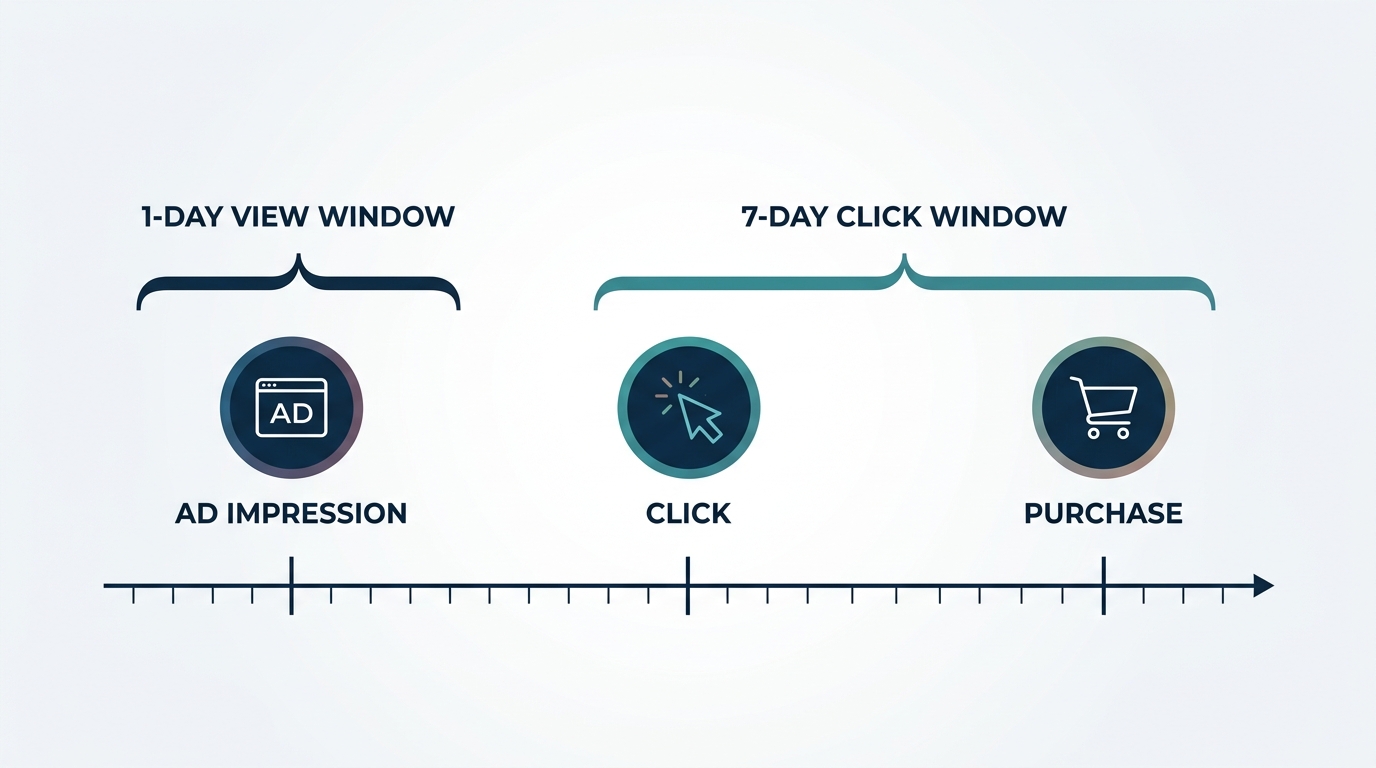
An attribution window has two parts. The lookback duration sets how far back a conversion can link to an ad interaction. The interaction type sets which kind of touch counts. A common setup joins a click window with a shorter view window. Each platform applies its own default.
The window is a boundary. It is not a fact about the customer. A clear definition from Adjust states that a common setup uses a 7-day click window with a 24-hour view window. Assume a sale lands on day eight after a click. The platform drops it from the report, even though the click may have helped.
Attribution windows and attribution models solve different problems. The window sets the time limit. The model sets how credit splits among touchpoints inside that limit. Google Ads once offered several models. Per Google's own documentation, first click, linear, time decay, and position-based models are no longer available. Data-driven attribution is now the default for most conversion actions, while last click remains an alternative.
Click vs View Windows
Click-through attribution counts a conversion when a user clicks an ad and then converts inside the click window. This is a strong signal, because the user acted.
View-through attribution counts a conversion when a user only sees the ad, does not click, and then converts inside the view window. This is a weaker signal. The user may have converted anyway, with no real influence from the ad. For example, a retargeting banner shown to a shopper who already planned to buy can still take credit under a generous view window.
This is why view windows stay short. Meta Ads currently uses a 7-day click and 1-day view window as its default. This comes from Cometly's review of platform settings, checked on the current date. Google Ads allows a click-through window from 1 to 90 days, with a default of 30 days. It also allows a view-through window up to 90 days, with a default of 1 day. This detail comes from Zamartz's breakdown of Google Ads conversion windows.
Vendor settings can change without notice. Meta removed its 7-day and 28-day view windows from the Insights API in January 2026. This caused a reported drop in attributed conversions for accounts that relied on the 7-day view setting. This finding comes from Lionelz's analysis of the change. Always check current platform documentation before you trust a historical comparison.
Platform Differences
No two platforms measure the same customer journey the same way. Meta counts view-through conversions inside its window. GA4 does not count view-through events in the same way. GA4 relies on session data instead. A comparison from AdAdvisor shows that Meta and GA4 differ in model type, view-through counting, and typical conversion volume.
GA4 applies its own lookback window, separate from any ad platform setting. Acquisition events use a 7-day or 30-day lookback, with 30 days as the default. Most other key events use a 30, 60, or 90-day lookback, with 90 days as the default. Users cannot change the fixed 3-day window for YouTube engaged-view events. These figures come from Zamartz's summary of GA4 lookback defaults, checked on the current date.
Google Ads also books a conversion to the date of the click that earned it, not the date the conversion happened. A click from three weeks ago can gain a conversion today. This rewrites the earlier date's row for up to 90 days. This click-date accounting is one reason past numbers in a dashboard can shift after the fact, per the same Zamartz analysis.
The table below shows a simplified comparison of default settings across two common platforms, checked on the current date.
| Setting | Meta Ads default | Google Ads default |
|---|---|---|
| Click-through window | 7 days | 30 days |
| View-through window | 1 day | 1 day |
| Attribution model | Impression/click window | Data-driven |
These settings govern reporting. They do not measure true causal effect. A platform report tells you what it counted under its own rule. It does not tell you what would have happened without the ad. For that question, see our guide to incrementality testing. This method compares a treated group against a holdout group to isolate real impact.
Buying-Cycle Alignment
Set your attribution window from your actual sales cycle, not from a platform default. A retailer that sells low-cost, impulse items may see most purchases inside one day of a click. A business that sells a considered purchase, such as furniture or software, may see a much longer gap between click and sale.
Worked example (hypothetical). A furniture retailer studies its own sales data. It finds that most buyers convert between 10 and 21 days after their first ad click. A default 7-day click window misses most of these sales. Therefore, the retailer switches its primary reporting window to 30 days. Its reported conversion count rises, but the true number of buyers does not change because the customers stayed the same.
This example shows the core risk. A short window can understate real ad effect. A long window can overstate it by pulling in unrelated later purchases. Match the window length to evidence from your own sales cycle, not to whichever number looks best.
Sensitivity Analysis
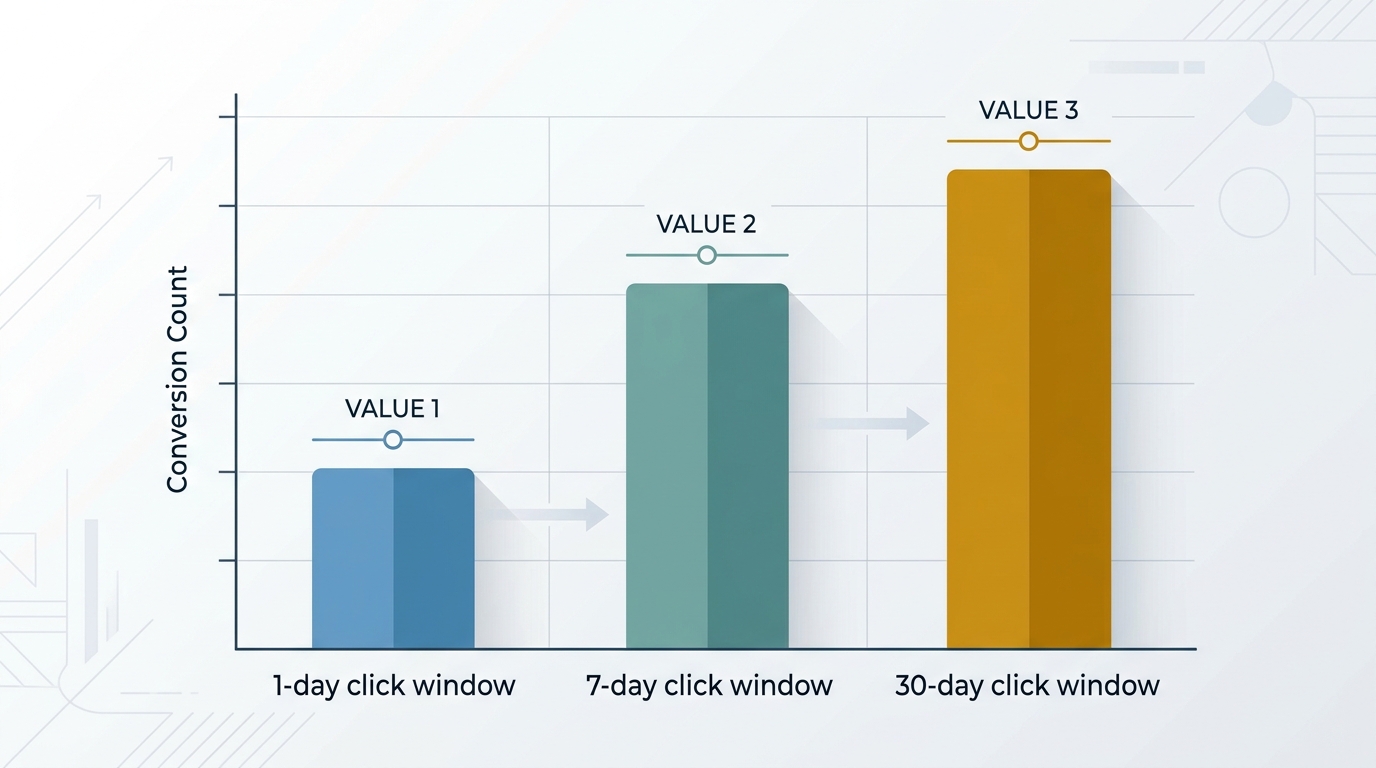
The window is a modeling choice. Test how much your reported results move when you change it. Run the same campaign report under two or three window settings, such as 1-day click, 7-day click, and 30-day click. Compare the conversion counts side by side.
A large swing between settings tells you the reported number is fragile. A small swing tells you the number is more stable across reasonable settings. This check costs little time. It protects you from over-trusting one dashboard figure.
Sensitivity checks fit inside a wider measurement plan. Attribution models split credit among touchpoints inside a chosen window. Marketing mix modeling (MMM) uses aggregate spend and revenue data across historical time to estimate channel contribution without per-user tracking. Incrementality testing compares a treated group against a holdout group to measure true causal lift. Each method answers a different question, and each has limits. Our page on attribution models and our comparison of MTA versus MMM explain these differences in more detail.
Governance
Attribution windows need documented rules, not ad hoc choices. Write down the window length and model used for each platform. Record the date you set them. Note who approved the setting and why.
Review the settings on a fixed schedule, such as once each quarter, and after any known platform change. Check platform release notes before you trust a year-over-year comparison. A vendor can alter a default window without much public notice, as the Meta view-window removal shows.
Keep a simple governance checklist:
- Record the click and view window length for each platform.
- Record the attribution model applied to each conversion action.
- Reconcile platform-reported conversions against CRM or warehouse data on a fixed, deduplicated key.
- Re-run a sensitivity check after any platform default change.
- Note the check date on every report that compares platforms.
This discipline will not make platform numbers match exactly. It will tell you why they differ, and which number to trust for which decision.
Conclusion
An attribution window sets a time boundary on credit, not a boundary on truth. Two platforms can see the same customer and report different totals. Each applies its own click window, view window, and model. Match your window to your real buying cycle. Test how sensitive your numbers are to the setting. Document your choices so future comparisons make sense.
Assume your teams see conflicting numbers across Meta, Google Ads, and GA4. A cross-platform attribution and incrementality review can show which settings drive the gap and which numbers deserve your trust. Reach out to MediaMixModel.com to start that review.

Stay in the loop
Get updates on new posts and resources.